
You can make sure your clients are fully informed before making a purchase with the new terms section of mobile-responsive order forms. You also have the option of including a required checkbox for clients to acknowledge your terms, which will display just above the payment button at checkout.
Terms can only be used on mobile-responsive order forms
- Navigate to your order form under E-Commerce Setup > Search for Order Forms
- Open or create a new order form and then navigation the Terms tab
- Choose whether or not customers must agree to the terms and enter the terms to display
- Click "Save"
| Note: You can include a link in your Terms section by using very basic HTML. You can use this code as a template for creating a link: <a href="LINK"target=_blank"> TEXT </a> Be aware that you must include the full http:// or https:// before the destination URL link. You can learn more on how to create hyperlinks HERE. |
Your terms will display on the order form during checkout.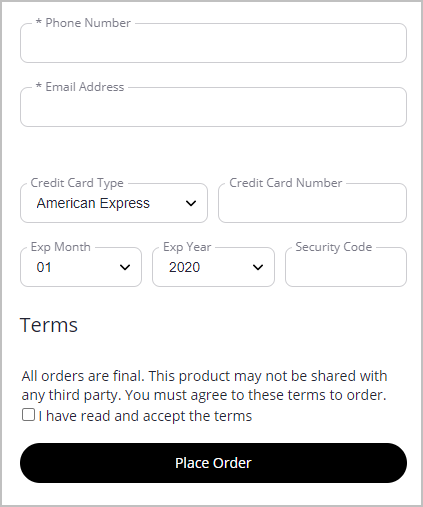
Comments
0 comments
Please sign in to leave a comment.