
Notice: Click here to view articles specific to your version of the builder. All new features and updates are made in the new Automation Builder. To access it, use the toggle in the main navigation. |
Use Keap's text messaging automation in the Campaign Builder to send critical communication through text messages via a toll-free 1-800 number. Text messages have an open rate of 94%, much higher than email's ~21% open rate. This feature will initially only be available to U.S.-based customers and will include an additional per-message cost after it's full release.
For more information about Keap's text message automation, refer to our text message broadcast and automation FAQs.
Send an automated text message
- Double-click the sequence you want to have the text sent in
- Drag the Text message object onto the canvas
- Double-click the Text message object to configure it
- Write your message
- Remove the phone number types you don't want to send the text message to.
- Be sure to check the "Do you have permission to Text?" box
- Click Done
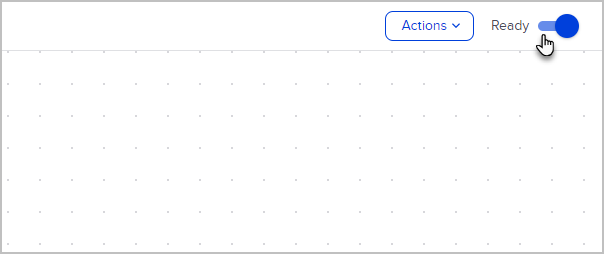
- Switch your sequence to Ready
Please note: If you get an error message when you open your Text campaign process, be sure to check if your application has your Company Name saved. Texting will not work without it!
|
Opt-in messages and requirements
Keap's text messaging automation automatically handles most opt-in requirements, including double opt-in. The first time you send a text to a phone number, Keap will ask the contact if they want to receive messages from your business.
While Keap confirms the contact is opting in to texts, you are responsible for understanding and complying with the laws and regulations associated with consent for text message automation and marketing.
Benefits of receiving consent for text messages:
- You only send messages to the contacts that want to receive them
- Keap tracks opt-in and opt-out status on a per phone number basis, making it easy for the you to know who is opted in or out even if you have multiple contacts with the same phone number
FAQs
Does the opt-in message get sent to everyone?
Opt-in messages only get sent to contacts that have not previously opted in. If we have no history of opt-in then a contact will receive an opt-in message.
I have previously received consent from my contacts using another system, can I skip the opt-in?
To help users stay compliant with the law, we require consent through our tools even if you’ve previously received consent on another tool.
Can I customize my opt-in message?
Not at this time, however we plan to allow users to customize their opt-in message in the future.
Is there a way to opt-in on a form?
Not at this time, however we plan to allow users to get single opt-in consent when a contact submits their info through a form.
Preview opt-in message
When drafting an automated text message, you can preview the opt-in message to see what your contacts will receive.
- Click on Show double opt-in message
- The double opt-in process includes asking contacts if they want to receive a message asking the contact to opt-in. Hover for the "Edit' button to make changes.
- Once the contact opts in, a confirmation message for opt-in is sent and the message is sent. This response cannot be edited due to text message laws.
Give feedback
While our text message automation feature is in development and testing, you have the ability to share feedback directly to our engineering team. To submit your feedback, follow these steps:
- Navigate to your automated text message within an automation process and at the bottom of the procesas is the "Give feedback" link.
Comments
0 comments
Please sign in to leave a comment.